Sensors & specifications
Connect any water point in minutes
Retrofit sensors clip onto the pipe or the consumable, an iLink sends the data, and your app turns it into alarms and reports. No plumbing work, no new building wiring.
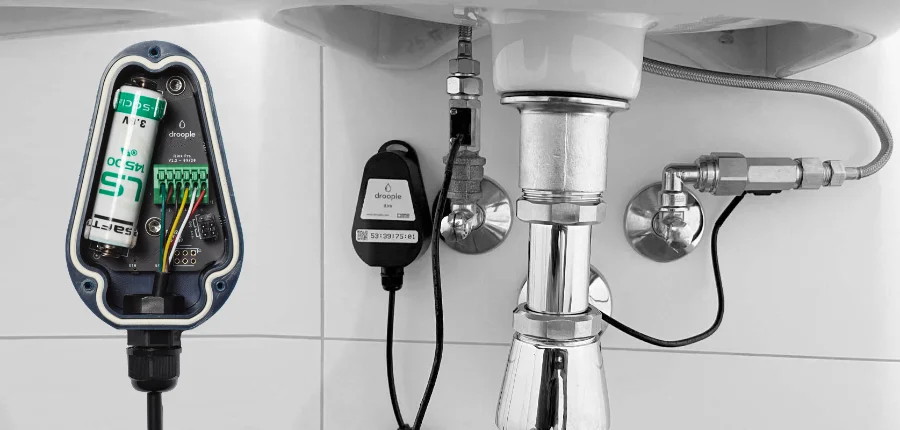
Build your kit
What do you want to connect?
Pick your water points and how many. We suggest the iLinks and sensors you need, then you can request the kit and a quote.
The iLinks
One device to make any sensor smart
The iLink reads the sensors, pre-processes the data and sends it securely to the Water Intelligence Platform. Both versions can be mixed on the same site.
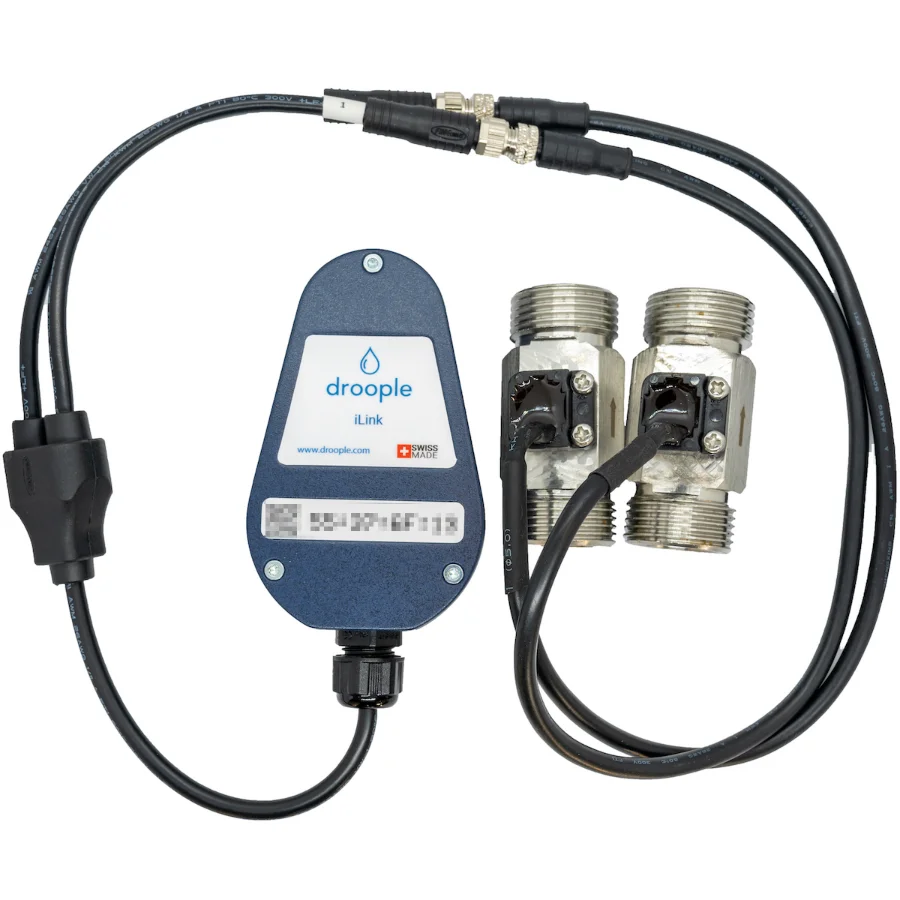
iLink Drop
For places without a power socket: toilets, showers, washbasins, technical rooms. Up to 2 sensors.
- Radio
- LoRaWAN EU 868 · US 915 · AS 923 MHz
- Sampling
- From 3 s, default 5 min (firmware V5)
- Power
- Lithium battery 2,600 mAh
- Battery life
- 5–10 years, depending on network conditions
- Gateway
- One LoRa gateway per site, floor or space (4G, Wi-Fi or Ethernet)
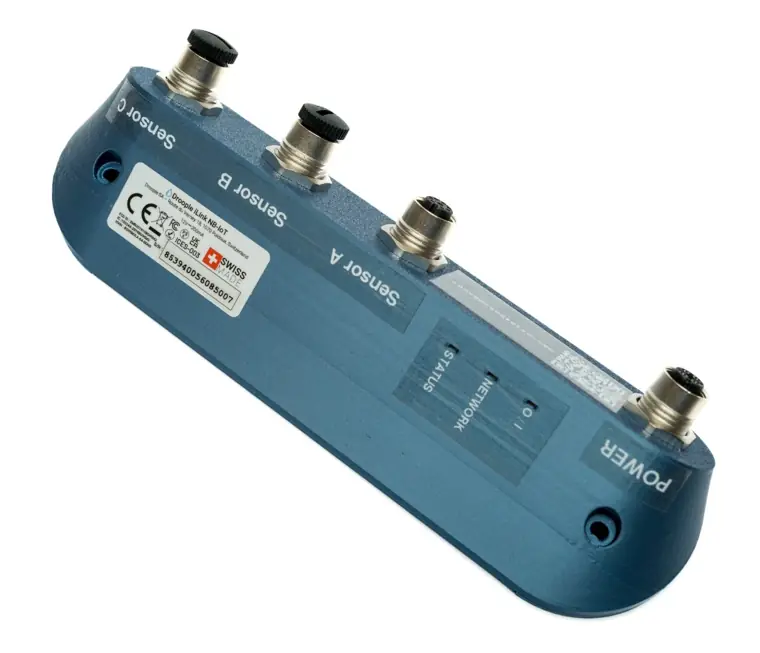
iLink Hub (formerly iLink NB-IoT)
For assets with power nearby: water dispensers, coffee machines, filters and RO systems. Up to 3 sensors, no gateway.
- Radio
- NB-IoT · LTE-M · GPRS, global
- Ports
- Power + sensors A, B, C
- Sampling
- Usage cycles, to the second
- Power
- Mains
- Battery life
- n/a
- Gateway
- None needed
iLink firmware V5 · September 2026
Same iLink hardware, a much smarter firmware
iLink V5 runs on the same hardware as V4. It brings more flexible data reporting, full visibility into each device and diagnostic tools that make the whole installation more robust.
See the full V4 vs V5 comparison
Data reporting · finer, better-timed measurements
| Feature | iLink V4 | iLink V5 |
|---|---|---|
| Measurements while water is drawn | Sampling period set in minutes (1 min minimum, default 5 min). Not synchronised with the consumption cycle. | Sampling period set in seconds (3 s minimum, default 5 min). Synchronised with the start of each cycle. |
| Measurements outside consumption periods (temperature, conductivity) | Rarely reported: one value every 36 sampling periods. | Regularly reported on a dedicated timer, set in seconds (60 s minimum, default 5 min). |
| Cycle detection | Approximate timing: 1 sample per cycle. | Exact start and end of each cycle: at least 2 samples per cycle. IN VALIDATION |
| Cycle granularity | Several cycles in a short period cannot be told apart. | Each new cycle triggers an additional sample, for more accurate leak detection. |
| Reaction time on consumption | Same timer as the measurements: faster reporting costs battery life. | Configurable timer: consumption can be reported quickly for alarms without shortening the sampling period, or stored and sent later for longer battery life. |
| Reaction time on other events | Only water flow triggers data reporting. | Data can be reported sooner on temperature or conductivity changes, even when no water is drawn. IN VALIDATION |
Robustness · fewer site visits
| Feature | iLink V4 | iLink V5 |
|---|---|---|
| Firmware stops sending part of the data | On-site intervention required. | Remote reboot command. |
| Firmware crash | The device hangs and requires a site visit. | The device reboots itself, comes back online and sends a detailed crash report. |
| Sensor missing or miswired at installation | A wiring error can look like real data. | The installation is rejected and reported. |
| Device diagnostics | Commands are fire-and-forget; no device report. | Every command is acknowledged. Firmware version, radio region and connected sensors are reported; a crash, unplugged sensor, low battery or sensor bus fault is visible remotely. |
Provisioning & installation · simpler
| Feature | iLink V4 | iLink V5 |
|---|---|---|
| LED feedback | Only 2 blinks when the battery is inserted. | An LED sequence guides each step: joining the LoRa network, fetching its configuration, detecting the sensors. |
| Battery insertion | Inserted on site, after the sensors are wired. | Can be inserted before the device leaves production; installers only wire the sensors. IN VALIDATION |
Battery life · longer autonomy
| Feature | iLink V4 | iLink V5 |
|---|---|---|
| Payload efficiency | Up to 2 samples for 2 sensors in one message. | Up to 2 hours of sampling (at 5 min) for 2 sensors in one message. |
| Weak coverage or disconnected gateway | The device can go silent and drain its battery. | Survival mode: the device stays reachable and manages its battery consumption. |
Flexibility · configured from the platform
| Feature | iLink V4 | iLink V5 |
|---|---|---|
| Remote configuration | Often required a custom firmware build per customer. | Configuration lives in the Droople platform. |
| Reconfiguration on demand | Only the sampling rate was configurable. | Sampling rates, reaction time, heartbeat interval, cycle detection parameters and more can be changed remotely. |
IN VALIDATION Capability still being validated; availability to be confirmed.
Sensors
Applicable assets and specifications
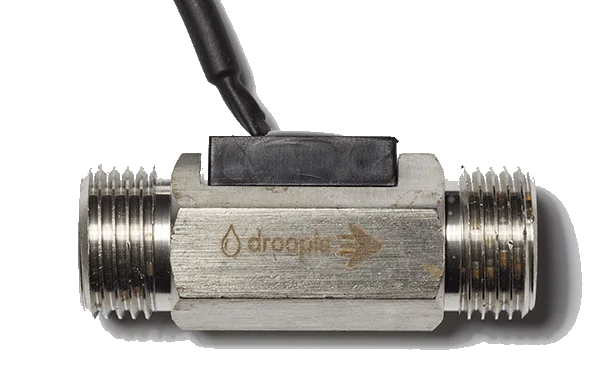
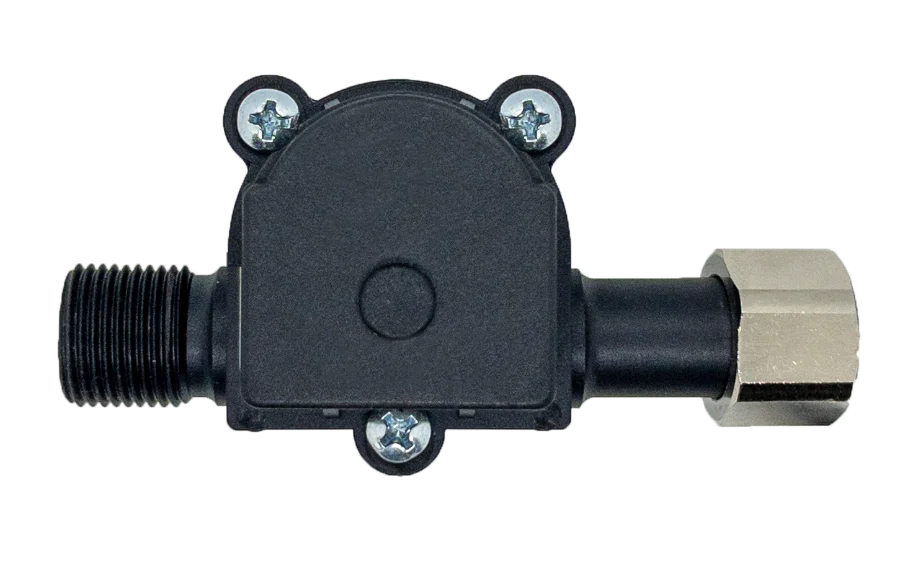
Flow & Temperature · Mono / Twin
Water use, usage cycles and temperature. Mono for one line, Twin for hot and cold. Taps, showers, toilets, dispensers, boilers.
Specifications
| Flow rate | 1/4": 0.3–3.0 l/min · 1/2": 0.5–27 l/min · 3/4": 2–30 l/min · 1": 3–45 l/min |
|---|---|
| Temperature | 4–65 °C |
| Connection | Male–Male, BSP (EU) or NPT (US) |
Conductivity · Trion
Flow, temperature and conductivity in one sensor: water hardness and TDS in real time, to protect appliances and treatment systems.
Specifications
| Flow rate | 1/4": 0.3–9.3 · 3/8": 0.5–15.3 · 1/2": 0.5–27 · 3/4": 0.5–15.3 l/min |
|---|---|
| Temperature | 0–70 °C |
| Conductivity | 0–1,000 µS/cm, ±3 % linearity, 0.1 µS/cm resolution up to 50 µS/cm |
| Connection | 1/4" & 1/2" Male–Male · 3/8" & 3/4" Male–Female, BSP or NPT |
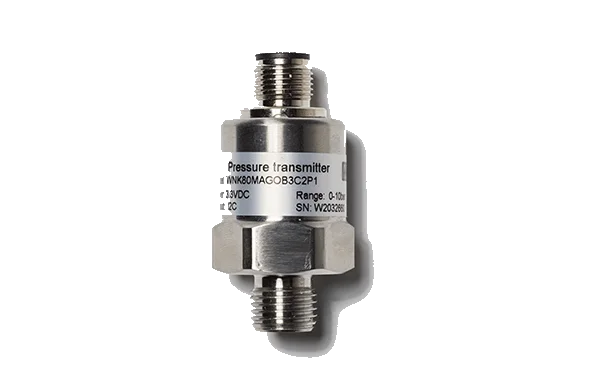
Water pressure
Pressure in pipes and pressure drop across sediment filters, measured on inlet and outlet to replace filters at the right time.
Specifications
| Range | 0–10 bar (0–145 psi) |
|---|---|
| Temperature | 0–70 °C |
| Connection | 1/4" Male, BSP or NPT |
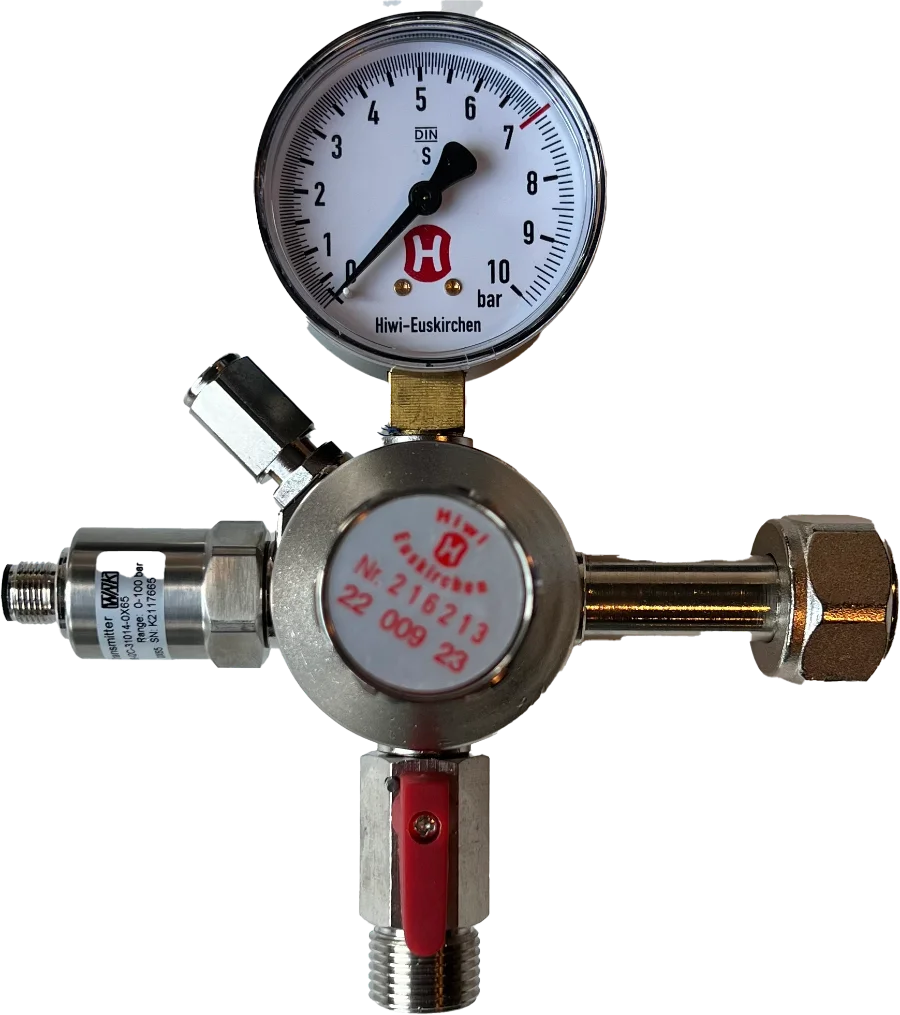
CO2 pressure
Pressure drop in the CO2 canister of sparkling dispensers, with a default alarm for automatic reordering and delivery.
Specifications
| Range | 0–100 bar (0–1450 psi) |
|---|---|
| Temperature | 0–70 °C |
| Connection | 1/4" Male, BSP or NPT |
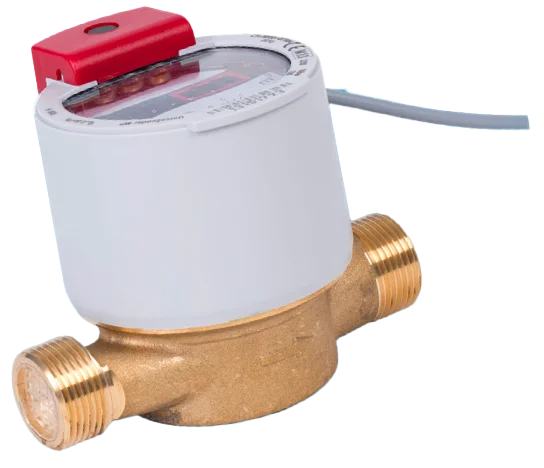
Point of entry & sub-metering
From the building's main supply down to each tenant, zone or floor, for remote billing and leak detection on the whole network.
Specifications
| Flow rate | DN15 / DN20: 0.5–52 l/min |
|---|---|
| Temperature | 0–90 °C |
| Connection | Male–Male, BSP |
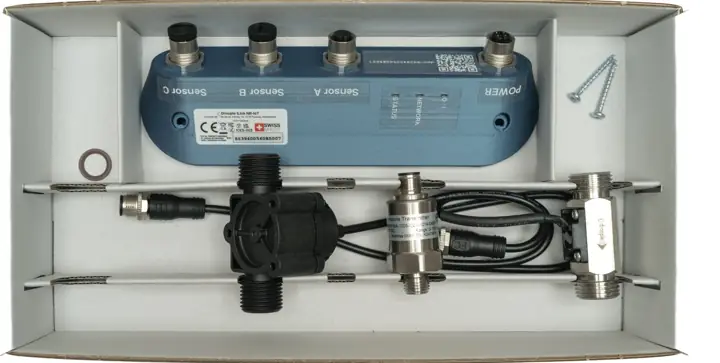
Technical datasheet
All dimensions, certifications and installation details for iLinks and sensors in one document.
Download the datasheetSetup
From the box to live data
Retrofit
Fit the sensor on the inline pipe or the consumable. No plumbing changes to the asset.
Power on
Turn on the gateway (iLink Drop) or plug in the iLink Hub.
Scan
Scan the iLink QR code to assign it to a new or existing asset, then pull the activation tab.
Monitor
Metrics, alarms and reports appear in your app as soon as the asset is used.
FAQ
Questions before you order
Which gateway do I need?
Only the iLink Drop needs a LoRa gateway, usually one per site, floor or space, with 4G, Wi-Fi or Ethernet backhaul. The iLink Hub connects directly over NB-IoT. More on connectivity.
How do I install the devices?
Retrofit the sensor, turn on the gateway, scan the iLink and pull the activation tab. DIY videos and quick-start guides are on our support site.
How do I configure a device in the platform?
Each iLink has a unique QR code. Scanning it lets you attach it to a new or existing asset; metrics are available as soon as the asset is used.
Can I connect the data to my BMS or ERP?
Yes. The platform exposes an API to feed building management systems, ERPs and third-party dashboards.
Who do I contact for help?
Write to support@droople.com or use the contact page.